







Questions owners actually ask
Grouped by topic and searchable. Every answer is specific enough to act on.
Probably the longest list of answers in the industry. Ask us the one that is missing.
Daily Operations
What exactly is Snooker King and what problems does it solve?
Snooker King is a cloud-native, end-to-end platform with 700+ features built specifically for snooker centers, pool lounges and billiard halls. It replaces manual stopwatches, scattered spreadsheets and disjointed tools with one joined-up system covering table management, dynamic pricing, POS, membership loyalty, IoT lighting, mobile app, LHDN e-invoicing and real-time analytics. It is in production at 500+ venues across 23 countries.
How does it help during peak hours when my staff is overwhelmed?
A colour-coded board shows every table's status at a glance. Live timers kill the need to track time on paper. One-tap checkout shrinks turnaround. In-session F&B ordering removes the back-and-forth to the counter. Members can self-checkout from the mobile app, taking pressure off the queue. Dynamic pricing handles rate shifts on its own so revenue stays maxed out without staff thinking about it.
How does the advance table booking system work?
Staff create bookings on a visual calendar grid that shows every table and time slot at once. Each slot is colour-coded for available, booked or unavailable. Availability rules can be tuned per day type (weekday, weekend, specific dates) with per-table-type overrides. When the customer walks in, one click checks them in and the system shows the proforma with member discounts and tax already applied. Bookings that sail past their start time without a check-in are auto-tagged as no-show, and each member's no-show history is recorded for accountability.
How does it prevent staff fraud and unauthorized discounts?
Seven layers of protection: (1) every session writes an invoice - no untracked games, (2) discounts are system-driven through membership tiers and coupons, (3) manager approval is required for overrides, (4) IoT lighting refuses to turn on without a session, (5) every action lands in a complete audit log, (6) per-employee sales tracking, (7) login history monitoring.
Can I bundle a game table with drinks or snacks as a package?
Yes. The Combo Bundle feature lets you build packages like "2-hour game + 2 drinks + snacks for RM99". Combos show up in the POS and slot in automatically at checkout - lifting average transaction value and making upselling effortless for staff.
What happens if a member books a table and doesn't show up?
Every no-show is logged against that member's profile. You can pull up the no-show history per member and set your own policy - for example, require a deposit for repeat offenders or limit future bookings. Bookings not checked in by a set cutoff time auto-expire and the table is released.
Can I manage lockers, private rooms, or parking rental?
Yes. The rental module supports 4 property types, lockers, rooms, private units, and parking, with 6 deposit categories (rental, security, utility, key, renovation, plus an "other" type with a custom label). Features include full and partial refunds, auto-calculated late fees, rental extensions, forfeit on damage or loss, expiry reminders with live countdown, 4 visual floor plan themes, and one-click combined Official Receipt linking rental fee and deposits.
How do I handle walk-in customers versus members at the same time?
Walk-ins start a table with name and mobile only. Members are identified by face, RFID, QR, or name search, and instantly get their tier discount, wallet balance, and profile loaded. Convert a walk-in into a member anytime during the session without losing the bill. One unified flow, zero double-entry.
How do cashier shift handovers work?
At shift end, the cashier prints an end-of-shift summary showing every transaction by payment method, total cash, card, e-wallet, and credits collected, plus voids and refunds. The incoming cashier signs in with their own account and starts fresh. Managers see each shift separately in reports, no guesswork over who collected what.
Can I organize tables into zones like VIP, Practice, or F&B area?
Yes. Create unlimited zones (VIP, Main Hall, Practice, Snooker, Pool, 9-Ball, F&B area, any label you want). Drag-and-drop reorder tables inside each zone. Assign per-zone rates, per-zone staff permissions, per-zone themes. On the dashboard, filter by zone to view only what you manage.
How does the F&B kitchen workflow work?
Staff or customer creates an order via the 4-panel POS or the QR ordering app. Kitchen ticket auto-prints to the correct kitchen printer (drinks bar vs hot kitchen, configurable per item category). Status flows: submitted, cooking, ready, served. Reprints trigger a bold warning on the ticket so kitchen staff never cook twice by mistake. Orders auto-append to the table session bill for one clean checkout.
Can I set up combos and menu modifiers?
Yes. Combos bundle multiple items at a fixed price (e.g. 2 burgers + 2 drinks = RM45). Menu items support options (size, temperature), preferences (notes), and add-ons with individual pricing (extra cheese +RM2, upgrade to large +RM3). Live cart price updates as customers or staff adjust. All tracked in inventory so stock auto-deducts correctly.
How does inventory stock deduction work when items are sold?
Link each POS item to an inventory item once. Every sale automatically deducts stock. The Inventory Movements report shows Opening, Sold + Adjustments = Closing per period, matched against revenue items for reconciliation. Low-stock thresholds trigger alerts. Repair and damaged stock handling plus audit reconciliation tools keep numbers accurate.
How do advance bookings interact with walk-ins, who has priority?
Booked tables show a booking badge on the dashboard so staff never double-assign. Configure how far before a booking the table is reserved (e.g. 15 minutes before). If the booking expires without check-in, the table is released automatically for walk-ins. You can also require a deposit for high-demand slots or from members with past no-shows.
How do I add a new table or change my table layout?
In settings, click Add Table, enter name, type, zone, and rate. Drag to reorder. To move a table between zones, drag it over. Changes take effect instantly and are reflected on every connected device. Ongoing sessions are never interrupted, layout changes are purely visual.
Can I manage multiple brands or business types under one account?
Yes. The Client, Organization, Center 3-tier hierarchy lets enterprise operators manage multiple brands, each with its own organizations and centers. Each layer has isolated settings, branding, members, and reports. A single admin login sees everything; operators only see their assigned center. Perfect for franchise chains and multi-concept operators (snooker + pool + F&B chains).
How do I handle a customer who wants to pause and resume later?
The game round system lets you pause and start new rounds on the same table. Each round is time-stamped and billed separately but on one consolidated invoice. Customers can leave for dinner, come back, and resume without re-starting. Split-bill mode uses this same mechanism so groups can share cleanly.
Can I schedule automatic opening and closing for tables and lights?
Yes. Schedule lights ON at opening (e.g. 11am), OFF at closing (e.g. 2am), plus countdown sessions auto-turn-off when time runs out. Rental expiry reminders tick live. Print jobs queue and auto-release. Every time-based action respects your center timezone so multi-location franchises run correctly across regions.
How does the QR ordering app help reduce staff workload?
Customers scan a QR at the table, no app download required, browse the menu with photos, add to cart, and submit. The ticket prints in the kitchen immediately; no waiter walks back and forth. Orders auto-append to the table bill. Result: one server can comfortably cover twice as many tables during peak hours, and wrong-order rework drops near zero.
How do I broadcast an announcement to all members at once?
Create an announcement with title, body, and priority level (Info, Important, Urgent). Target by center or organization. Members receive a push notification and see it in the app with unread-count badges. Great for tournament invitations, maintenance notices, promotions, or emergency alerts. Schedule in advance or send immediately.
What happens to active sessions when I log out or my computer crashes?
Active sessions live on the server, not on any one device. Timers keep ticking, lights stay on, F&B orders still print. Open the dashboard on any device and everything is exactly where you left it. No session is lost to a crash or a reboot, the cloud is always the source of truth.
Can I see real-time revenue across all my centers on one screen?
Yes. The Revenues page aggregates across all your centers with a "All Centers" filter. See today vs yesterday, by center, by payment method, by employee, by table type. Drill down into any center for details. Cross-center comparison shows which branches are outperforming and where to focus. Perfect for multi-location owners who want one command center.
What is the Live Table Monitor and how do I set one up?
The Live Table Monitor displays every active table on a TV mounted in your reception or seating area - showing table number, customer name, live timer, paid amount, and outstanding balance. Customers see exactly what they owe in real time, eliminating billing disputes. To enable: go to Settings - Tables - Live Table Monitor, toggle on to generate a secure-link public URL, paste it in any TV browser (Smart TV, Android TV, Chromecast, Fire TV). No login required. Choose between 4 themes (Broadcast Pro, Apex Lounge, Glass Modern, Departure Board) and 3 layouts (List, Grid, Spotlight). 5 customer name privacy modes from full name to hidden. Refresh interval configurable 3-30 seconds. Same URL works on unlimited TVs simultaneously. One-click reset URL invalidates old TVs.
What advanced settings does the Live Table Monitor have beyond themes and layouts?
The Live Table Monitor settings cover 11 organised sections: (1) Layout - list / grid / spotlight, with grid columns 2-4 and density compact / comfortable / spacious; (2) Theme - 4 presets plus accent colour, logo URL and background overrides; (3) Header - logo, custom display name, tagline, live clock 12h or 24h, optional date, and 4 selectable summary chips for active count / total revenue / overtime count / paid in full; (4) Customer Privacy - 5 name modes plus optional Member badge and membership tier display; (5) Grand Total - 4 modes (outstanding, running, running with split breakdown, game time only) plus optional time progress and paid progress bars; (6) Game Type and Filters - 11 toggles for countup, countdown, package name, start time, badges; (7) Timer and Animations - smooth / flap / instant transitions, overtime flash, paid badge with 1-30s duration; (8) Behavior - 3-30s refresh interval, 5 sort orders, auto-paginate with 3-30s page interval, motion speed presets, pause when tab hidden; (9) Footer and Branding - marquee scroller with speed control, QR code with custom URL and label, custom messages; (10) Brand Footer (admin only) - global brand text with 4 font sizes and 3 weights; (11) Global Footer Images (admin only) - up to 3 sponsor / award images with position and max-height per slot.
What happens if my staff under-rings or over-rings cash?
First, the system stops it from being silent. Every void carries a mandatory reason code; every refund routes to a manager approval gate; high-value voids fire an instant alert to the owner the second they are rung. Second, tamper-proof locks on stamp-earn and credit-deduct mean three terminals firing the same second cannot double-credit a member or skip a deduction. Third, double-charge-proof payment processing means a retried checkout never double-charges. Fourth, the audit log stamps every action with user, timestamp, and before/after values - so when the cash drawer is short or long, you can pull the exact line, the exact employee, the exact second. The "honest mistake" excuse loses its hiding place.
Can staff switch a running count-up to a count-down without ending the session?
Yes - mid-game switch is one click. The accumulated count-up minutes carry over and are reconciled against the chosen countdown package at checkout.
Can I freeze a check-in mid-session for a party split?
Yes - checkpoints inside count-up. The session keeps running while you settle the partial bill, then continues for the remaining party.
Can I send drinks orders to one printer and food to another?
Yes - set a default printer per F&B category. Drinks route to the bar, hot food to the kitchen, snacks to the counter. Partial-print mode prints only specific items from one order. The print queue persists across browser reloads with auto-retry on failed jobs.
Can regulars play now and settle the bill later?
Yes. Pay Later raises a bill unpaid with Start Game Now so a trusted regular gets straight onto the table, and an owing table can be freed without losing the debt. Every unpaid bill lands in the accounts receivable ledger with per-customer balances, aging and payment recording from the row, uncollectible amounts write off cleanly, deleted bills are audited with server-computed restore eligibility, and overpayment is held as member credit.
Billing & Pricing
How does dynamic pricing work and will it confuse my customers?
The pricing engine resolves the right rate from time of day, day of week, holidays and table type. The current rate is always shown openly to customers. You configure the rules once - morning off-peak, evening peak, weekend premium, holiday specials - and the system runs them on autopilot. Revenue is squeezed out without anyone having to touch the rate card.
What's the difference between Count-Up and Count-Down billing?
Count-Up runs the meter while a session is open and bills at the end based on time used. Count-Down sells a fixed time package that the customer prepays for. Both flows fully support F&B orders, split billing, member discounts and every payment method - and you can run both side by side for different customers.
Is it fully compliant with LHDN e-invoicing requirements?
Yes - fully compliant, with 22 dedicated tax features: Malaysia LHDN e-invoice standard, MyInvois integration, configurable SST rates, service charge automation, 45 LHDN item classification codes, credit/debit notes, B2C consolidation, and complete tax-info capture for individuals, businesses and foreign buyers.
Can customers pay using multiple payment methods in one transaction?
Absolutely. A guest can pay part in cash, part from their member wallet and part with reward points - all stitched into a single checkout. Partial payments are also fine: collect RM50 now and the remaining balance is tracked automatically. Cash, card, e-wallet, bank transfer, member credits and reward points are all on the table.
Can I see who voided, refunded, or edited an invoice?
Yes. Every sensitive action, void, refund, invoice edit, payment method change, deletion, is logged with the user name, timestamp, center, and before/after values. Managers get instant alerts for high-value voids. Once an invoice is submitted to LHDN and validated, it is automatically locked against editing. Full audit trail is exportable to CSV for accounting or legal review.
Can I use Snooker King outside Malaysia, where LHDN does not apply?
Yes. 500+ venues use it in 23 countries including Singapore, Thailand, Indonesia, Vietnam, Philippines, China, UAE, UK, Australia, and more. LHDN e-invoicing simply stays disabled for non-Malaysian centers. You get 150+ ISO 4217 currencies (full coverage), a 200+ country phone-code picker, 27+ timezones, configurable tax labels (SST, GST, VAT, Service Tax, or leave blank), flexible rounding rules, and 3 languages, so local tax rules, currency symbols, and date formats all match your country.
Can I set a minimum charge and grace period per table?
Yes. Configure minimum charge (e.g. first 30 minutes billed at full hour) and grace period (e.g. first 5 minutes free) per table type or per individual table. Billing intervals are fully configurable, per minute, per 15 minutes, per 30 minutes, or per hour. Countdown packages support grace periods added to the expiry time.
How do I run happy hour promotions?
Create a dynamic rate rule with a time window (e.g. Mon-Fri 3pm to 6pm) and a reduced rate. The system automatically switches tables to happy-hour pricing during those hours. For F&B, create a campaign with valid-days + time-window + target items (buy one get one, 20% off drinks, etc.). Customers see the discount transparently on the invoice.
How does discount stacking work, can members combine coupons with tier discount?
The system uses best-discount logic: member tier discount vs coupon, whichever is larger wins. Points redemption is applied on top of the best discount. Invoice-level additional discounts, if enabled, stack last. Maximum discount caps prevent abuse. This gives customers great perceived value while protecting margins.
How do I refund a customer, full or partial?
Open the invoice, select refund, choose the payment method to refund to, enter the amount (full or partial), and add a reason. The system generates a refund receipt, updates member credits or wallet if applicable, adjusts revenue reports automatically, and locks the refund into the audit trail. If the invoice was LHDN-validated, the system issues a credit note instead.
What if I need to correct a bill after the customer has left?
Find the invoice under Revenues, click Edit. Adjust item quantity, unit price, remove lines, or change the payment method. The system recalculates totals, tax, and service charge automatically. Every edit is logged with your user name, timestamp, and before/after values. Once LHDN validates the invoice, it is locked against further edits to meet compliance.
Can I take a deposit for a booking and credit it to the final bill?
Yes. Require a deposit at booking time, stored as a deposit slip. On check-in, the deposit automatically applies to the session bill. If the booking is cancelled or a no-show, apply your policy: full refund, partial refund, or forfeit. All deposit movement is tracked in the deposit report with full audit trail.
How is rounding handled, do my customers see strange amounts like RM47.63?
Configure rounding precision per organization, common setup is 0.05 (Malaysian 5-sen rounding) so RM47.63 becomes RM47.65. Zero rounding is also supported. Rounding is applied only on the final payment (not during partial payments) and shown as a clearly labeled line on the invoice. Customers always see transparent math.
Does the system support SST, GST, VAT, or other tax systems?
Yes. The tax label is configurable, call it SST, GST, VAT, Service Tax, or leave blank. Granular rates per transaction type (table, POS, credit package, membership, rental) with center-level overrides. Tax-exempt items are supported. Service charge is separate from tax, calculated on the correct base per Malaysia e-invoice format. Everything flows to LHDN e-invoicing correctly when enabled.
How does the Combined Official Receipt for rentals work?
When a customer rents a locker, room, parking spot, or unit, you typically collect two amounts in one go - the rental fee and one or more deposits (security, key, utility, renovation, or "other" with a custom label). Other systems print a separate receipt for each. We issue ONE combined Official Receipt that links all the underlying revenue items together. The customer signs once, you file one document, and the audit trail still shows every line item. Behind the scenes, an internal linked-revenue field connects the entries so reports and refunds always trace back correctly. If you later refund a deposit or void a charge, the system handles the linkage automatically.
Which late-fee modes are supported for rentals?
Three modes per rental plan: (1) Flat amount - a single fixed late fee no matter how overdue, (2) Percentage of rental fee - e.g. 20% extra if returned late, (3) Per-day fee - accrues each day past due (e.g. RM5 per day). The system calculates the late fee live, generates an unpaid late-fee invoice line the moment a staff member opens checkout, and only locks in the invoice number when payment clears - so unpaid auto-fees do not burn invoice numbers. If you negotiate a waiver with the customer, you can soft-void the auto-generated late fee in one click (only voids what we ourselves generated, never your manual invoices). For damages or losses where you want to keep some or all of a paid deposit, use the Forfeit Deposit workflow - it offsets without moving cash, with full audit trail.
Does Snooker King help me pass an LHDN audit?
Yes - that is the entire point of the compliance posture stack. MyInvois e-invoice submission, status tracking, cancellation, and credit/debit notes are built in. SST per stream (tables, items, credit packages, memberships, rentals) with center-level overrides. Every void, refund, edit, and payment-method change is logged with user, timestamp, and before/after values. Validated invoices auto-lock against any further edit so the LHDN trail can never be tampered with after submission. Mandatory reason codes plus manager approval gates keep cash adjustments accountable. When the auditor walks in, you do not panic - you export, and the trail tells the story for you.
How does dynamic pricing actually lift revenue?
It works because the platform applies the right rate every single second without any human deciding. Configure the rules once - off-peak mornings cheaper to fill empty tables, evenings priced for peak demand, weekend premium, holiday surcharge, premium tables charged differently from practice tables. The engine resolves the active rate from time of day, day of week, holiday calendar, table type, and membership tier in real time. Customers see the active rate transparently on screen and on the bill - no confusion, no awkward staff conversations. Owners running this report a 25-35% lift in peak-hour revenue alone, because every minute of every peak hour is being captured at the right price instead of a flat all-day rate.
How do the three late-fee modes work for rentals?
Flat amount, percentage of the plan, or per-day. Choose per rental category and the system auto-issues an unpaid late-fee invoice when the due date passes.
Are there 10 ASEAN countries pre-loaded for LHDN?
Yes - MY/SG/TH/ID/VN/PH/BN/MM/KH/LA buyer info presets ship in the box.
A session crosses midnight from peak into off-peak rates. How does it bill?
Each round creates a checkpoint that locks in the rate at that minute. A 9pm-to-1am session bills the peak segment and the off-peak segment correctly with no manual splitting. Add or merge checkpoints mid-game when players join or leave - the system re-prorates automatically.
Can a customer pay at the table with a physical card or contactless tap?
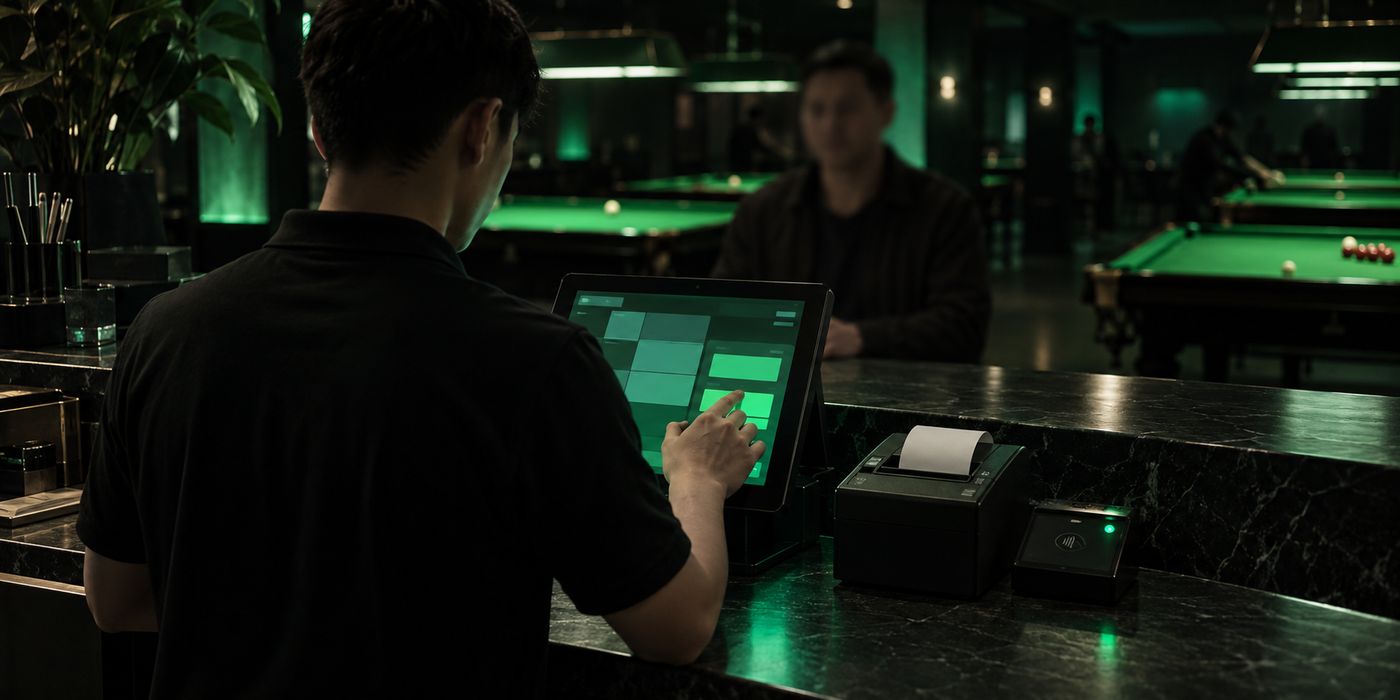
Yes - your operator can take a card-present payment right at the counter. The customer taps a physical credit or debit card, or a contactless device, on the card terminal, and the sale settles straight through Snooker King. There is no separate terminal to reconcile at the end of the shift: the payment is already matched to the bill, so your end-of-day numbers stay clean and every tap lands in the audit trail with the rest of your takings.
Can I send a customer a payment link to settle a booking or bill remotely?
Yes - generate a payment link for any bill or booking and share it by WhatsApp or email in one tap. The customer opens the link on their own phone and pays remotely with card, online banking, or e-wallet. The moment they pay, the booking or bill clears on its own and the table is confirmed, so you can collect a deposit before a customer arrives or settle an outstanding balance after they leave without anyone returning to the counter.
Can I show a DuitNow QR on the bill or scan the customer's e-wallet QR?
Yes - Snooker King can display a DuitNow QR right on the bill for the customer to scan and pay from their banking or e-wallet app, or your operator can scan the customer's own e-wallet QR to collect on the spot. DuitNow QR, Touch n Go, Boost, GrabPay, ShopeePay, Maybank QR, online banking, cards and device-pay all flow through the same merchant account, so every method reconciles into one revenue report with no separate paperwork.
Does Snooker King do accounting and bookkeeping?
Yes. A double-entry posting engine converts every sale, payment split, discount, refund and reversal into balanced journals against a ready-made chart of accounts, with native journals for tips, complimentaries, overpayments and unitemised money, drawer cash-in/out posted straight to the ledger, and a one-click SST working paper with per-line classification and apportionment. Export XLSX, Excel, Bukku or Xero-ready files for your accountant, and closed periods lock behind a written, logged reason.
Membership
How does the membership system build customer loyalty?
32+ features sitting on four pillars: (1) digital wallet credits with bonus top-ups that keep money inside your ecosystem, (2) reward points earned on every transaction and redeemable for cash value, (3) tiered auto-discounts from 5% to 25% that give customers a reason to climb the ladder, and (4) a token system for special promotions. Members also get a self-service mobile app, creating a sticky experience competitors struggle to match.
Are there social and community features for members?
Yes. Members can spin up and join tournaments with skill-level matching (beginner/intermediate/advanced). Social games let members host sessions with configurable player capacity and scheduling. Every game gets its own chat room, on top of a general center-wide room. Unread message counts are tracked, and per-member social game stats are kept. The center can broadcast announcements with priority levels, and staff stay in touch through a WhatsApp-style internal messenger - all reachable from the mobile app and the member portal.
Is face recognition safe and private for my members?
Yes. Face enrollment is always opt-in, members can register by email, phone, or RFID instead. Stored face data is encrypted and never shared with third parties. Built-in anti-spoof liveness check (head tilt required) blocks photo or video attacks. Multi-frame consensus matching and configurable match thresholds prevent false matches. Members can delete their face data at any time.
Can members buy and sell cues and gear within the community?
Yes. The Member Marketplace lets verified members list cues, accessories, and gear with photos, price, and condition. Other members browse, search, and filter by category. Listings can be reported for moderation and auto-expire. This keeps the community engaged and brings repeat visits to your center.
What is the difference between credits, points, and tokens?
Credits are stored-value currency in the member wallet, customers top up and spend like cash. Points are loyalty currency earned on every transaction and redeemed for discount. Tokens are special-use units for promotions (e.g. free-game tokens given as a birthday gift). All three can coexist and be used at checkout.
How do bonus credits work when a member tops up?
Configure top-up packages like RM100 = RM120 (base RM100 + bonus RM20). Base and bonus credits are tracked separately so you see true revenue. Smart deduction uses bonus first or oldest first, configurable per center. Expiring credits are consumed before fresh ones so members do not lose value.
Can members register themselves without visiting the center?
Yes. Each center gets its own vanity URL (example: yourcenter.snookerking.com). Share the link or scan a designer membership QR (Premium gold or Modern neon theme, mobile/A5/A4 PDF). New members register, top up their wallet, and browse coupons from their phone. They walk in already activated with a balance ready to spend.
Do credits and points expire?
Expiry is configurable per center and per package. Common setup: points expire 12 months after earning, credits expire 6 months after top-up, tokens expire on specific dates. Members get in-app expiry reminders and low balance alerts. Oldest credits are consumed first so members never lose value unexpectedly.
How do members redeem their points at checkout?
At checkout, the staff sees the member balance and a redeem option. Staff enters how many points to redeem (subject to min/max rules per transaction), and the discount applies instantly. The value per point is configurable (e.g. 100 points = RM1). Points used are deducted from balance; the redemption is recorded in the member history.
How does the Loyalty Stamp Card work?
Staff awards a stamp with one tap from any member tooltip - split-bill, F&B order, POS, or booking check-in. Configurable rate limits prevent abuse (e.g. max 3 stamps per day per member, daily window or rolling-hours window). Stamps never expire and members redeem them on their schedule. You configure stamps_cost on any POS item, and members redeem at the counter via the Stamps tender button. The item grid auto-filters to redeemable-only items. Inventory deducts automatically. Zero-cash invoice with full audit trail. Each center has its own stamp balance per member.
How is the per-line points discount different from old "points as payment"?
The new per-line points discount lets members apply points as a discount on any single invoice line - game rounds, packages, F&B, POS, or rentals. It stacks on top of member tier and coupon discounts (best discount wins, then points layer on top). The "Max" shortcut lets you use full available balance on a line. Live preview shows discount and final amount before apply. Points only get deducted at payment time, so applying and removing is safe with no risk of double-deduction. Double-charge-proof redemption protection means retries never deduct twice.
Can I set different points earn rates for games versus food versus rentals?
Yes. Per-stream earn multipliers let you set different points earn rates per revenue type: countup games, countdown packages, POS items, F&B, rentals, memberships, and credit packages. Each stream has its own multiplier with 3 decimal precision (0.000 to 999.999). For example: 1.0x on games, 1.5x on F&B, 0.5x on rentals, 0x on credit top-ups. Combine with time-based earning schedules for double-bonus campaigns on weekends or holidays. Defaults preserve existing earn behavior so nothing changes unless you configure it.
How does Show My Card work and is it secure?
Members open their portal and tap "Show My Card" to display an encrypted QR code that refreshes every 60 seconds (5-minute total expiry). A Code 128 barcode fallback shows below for legacy scanners. Staff scans with a keyboard-wedge reader or camera scanner - the Member Quick View modal pops up showing balance, credits, points, stamps, and last activity. Staff can add a stamp instantly from there without modal switching. Cross-organization warning appears if scanned outside the member's home org. The encrypted token includes a timestamp so screenshots stop working within minutes - secure even if a member's phone is lost.
What is a Redemption Slip and how does it differ from a Transaction Slip?
A Redemption Slip is a dedicated 80mm thermal document generated when a member redeems stamps or points for free POS items. It is separate from a Transaction Slip (which records cash, credit, or token tenders) so your accounting cleanly separates loyalty redemptions from regular sales. The Redemption Slip header reads "REDEMPTION SLIP" with a "Redemption No." label, and items are shown in stamp or point units (e.g. "Coffee × 2 - 10 stamps") rather than currency. Service charge and tax are always zero on a Redemption Slip. Each center configures its own document prefix (default RS) so redemption slip numbers look like RS-2026-04-27-00001 - the daily sequence runs independently from your transaction-slip series. The slip prints on the same 80mm thermal printer and can also be emailed to the member. The Document Designer settings page lets you preview every document type (invoice, transaction slip, redemption slip, official receipt, refund receipt, deposit slip) side by side before saving prefix changes.
Can a customer top-up via WhatsApp?
Yes - each centre has a configured WhatsApp number members can message for top-up requests, which staff confirm in the dashboard.
How does cross-organisation stamp redemption work?
Members carry stamps across all your branches - earn at one centre, redeem at another, with atomic locks preventing double-redemption.
Technical
How does smart lighting actually save electricity?
The VYROX IoT integration flips a table's lights on the moment a session starts and off the moment it ends. No more forgotten lights burning power overnight or between bookings. Venues report around 10% monthly electricity savings. As a bonus, it makes off-the-books free games near impossible - the lights won't come on without a registered session.
Can I manage multiple centers from one account?
Yes. Snooker King uses a 3-tier hierarchy: Clients (franchise owners) > Organisations (brands) > Centers (individual outlets). Memberships are shared across locations, reports roll up centrally, currency/timezone/tax can be tuned per center, and staff can be slotted across multiple centers. Tailor-made for franchise operators.
What currencies and languages are supported?
150+ ISO 4217 currencies are bundled in (full coverage - MYR, SGD, USD, EUR, GBP, JPY, AUD, CNY, IDR, THB, PHP, VND, INR, AED, SAR, ZAR, KRW, HKD, TWD, NZD and 130+ more) with per-currency symbol, decimals, thousands separator and rounding precision. The phone country picker covers 200+ nations (full ITU dialing-code coverage). 10 ASEAN countries are pre-loaded for the LHDN e-invoice buyer dropdown (MY, SG, TH, ID, VN, PH, BN, MM, KH, LA). The UI ships in 3 languages (English, Bahasa Malaysia, Chinese), with 27+ timezones, 5 date formats, 12/24 hour clock options and 10 rounding precision settings (Malaysian 5-sen rounding included).
Does the system support face recognition?
Yes. Members enrol their face via webcam during sign-up. At the counter, staff point the camera at the customer to identify them on the spot - membership discounts auto-apply and the credit balance loads, no manual search required. Privacy controls are built in from the start.
How does the RFID card system work?
Bind RFID cards to members and pair them with a counter-side RFID reader. A member taps their card to start a table session at their member rates, and taps again to check out - discounts apply and their balance loads automatically. It runs alongside face recognition and QR codes as an alternative way to identify a member.
Can I customize the look and feel of the software?
Yes. There are multiple theme options with custom accent colours, dark and light modes, and full center branding. Your center's logo, name and contact details flow through to every invoice, transaction slip and the customer ordering app. In a multi-location setup, each center can wear its own brand.
Do you have a customer-facing mobile app?
Yes, in two flavours. (1) A native iOS and Android mobile app where members can view balances, transaction history, available coupons and center announcements. (2) A browser-based web app that runs on any phone with no install - members reach it by scanning their QR code at the center. Both stay in sync with the management system in real time.
What is ticketing mode and how does it speed up table activation?
Ticketing mode is the fastest way to spin up a game. A customer scans a QR code (using the built-in dashboard camera scanner) or swipes an RFID card to instantly start a countup or countdown session on any table - no manual steps. RFID cards can be bound to specific tables, and a time billing mode lets a card tap automatically start the meter. The IoT lighting fires on immediately. Snooker King also supports 7 staff role levels (System Admin, Client, Organization, Manager, Operator, Employee, Member), and a setup wizard walks new centers through onboarding step by step.
What hardware do I need to get started?
Bare minimum: one computer or tablet with a modern browser and internet. Recommended add-ons: an 80mm thermal printer for invoices and kitchen tickets, an RFID card reader for tap-to-check-in, a webcam for face recognition, and VYROX IoT relay devices for automatic table lighting. We supply, install and configure everything - no in-house IT team required.
Where is my business data stored and is it secure?
Your data sits in a hardened cloud with HTTPS encryption, automated nightly backups, per-center role-based access and form-level security. Once LHDN validates an invoice it's locked against editing to meet compliance. Every void, refund, edit and payment-method change is recorded with user, timestamp and before/after values - you always have a complete audit trail to fall back on.
Can I migrate from my existing snooker software?
Yes. We import members, wallet balances, table layouts, menu items and historical sales from most common systems. You hand us an export (CSV, Excel) or we connect straight into your old database. From day one your team keeps the member list, wallet balances and report history intact - no customer or revenue data is lost.
Can my staff and customers use the system in their own language?
Yes. The entire system supports 3 languages: English, Chinese (Simplified), and Malay. Each user picks their preferred language on the dashboard, mobile app, and customer QR ordering page. Printed invoices and email receipts also honor the language choice. Switching is instant, no page reload needed.
Does the system keep working if my internet goes down?
Open sessions continue running locally and thermal printers keep working. When the connection is restored, the system automatically syncs everything, no data loss. For centers with unreliable internet, we recommend a simple 4G backup router; the system reconnects within seconds without staff intervention.
Which IoT lighting brands and devices are supported?
Built for VYROX IoT relay controllers with 1-64 channels per device, which we supply and install. The platform also supports any third-party smart relay reachable over the network - adapter profiles supplied. Heartbeat monitoring and event logs make lighting rock-solid, and if a device fails, the session keeps running and the light falls back to manual override.
What happens if a lighting relay fails mid-game?
The session keeps running, billing never depends on lighting state. Managers see the device offline badge on the dashboard and can manually toggle the light from any device. The system retries the command in the background. When the relay reconnects, normal automation resumes. No revenue lost, no game interrupted.
Which browsers and devices are supported?
Chrome, Edge, Firefox, Safari, latest two versions each. Works on Windows, macOS, Linux, iOS, and Android. Use desktops at the counter, tablets for server staff, and phones for managers on the floor. The member mobile app is native on iOS and Android. Add to home screen for app-like experience on any device.
Does it integrate with accounting software like SQL Account or Xero?
Yes. Daily revenue, invoice lines, tax breakdown, and payment methods export to CSV in formats compatible with SQL Account, AutoCount, Xero, and QuickBooks. LHDN e-invoice data flows directly via MyInvois. For custom integrations, our team can set up scheduled exports or direct API sync with your accounting system.
Can I integrate with WhatsApp or SMS for customer notifications?
Yes. Built-in WhatsApp contact handoff, every notification can include a Click-to-Chat link. Push notifications go directly to the member mobile app. For bulk SMS (booking reminders, promo blasts, expiry alerts), we integrate with common Malaysian and regional SMS gateways on request. Email delivery is built in for invoices, receipts, and shift reports.
Are there custom reports I can build for my specific business needs?
Pre-built reports cover daily revenue, monthly revenue, revenue by employee/table/zone, payment method breakdown, inventory movements, member analytics, campaign performance, shift reports, stock audit, and rental deposits. Every report filters by date range and exports to CSV. For special needs (e.g. tax filing in a specific format), our team builds custom reports on request at no charge to active subscribers.
Can I white-label the member app and member portal with my own branding?
Yes. Each center gets a vanity URL, custom logo, custom favicon, page title, tagline, accent colors, light/dark mode, startup sound, center photos, and banner. Both the member portal and ordering app show your brand, not ours. Customers see your center as a first-class app, while you benefit from our infrastructure.
How safe is the system against staff fraud and cross-tenant data leaks?
Multiple defense layers: (1) Every action is logged with the actor's name, role, time, and reason - voids, refunds, edits, member adjustments, deposit forfeits, OR voids; (2) Cross-tenant access guards verify on every request that the user is allowed to see the centre / organization in question; suspicious probing attempts are logged for audit; (3) Tamper-proof locks on stamp earns and credit deductions mean two cashier terminals can't both grant the same reward or spend the same balance; (4) Per-account login lockout survives IP rotation, so distributed brute-force attacks are stopped at the account level; (5) IP-based rate limit caps login attempts (5 per 5 minutes) on top of account lockout; (6) Soft-delete preserves history - nothing is truly erased, so historical reports always reproduce; (7) Live database safety pattern means new releases only ADD columns, never modify existing data, so live operations are never disrupted; (8) Manager instant alerts for high-value voids or unusual patterns; (9) Encrypted QR tokens (table cards, member cards, public live monitor URLs) with regenerate-and-revoke actions when staff leave.
What's the difference between the Member Portal and the mobile app?
Both give members the same self-service capabilities, but in different package formats. The Member Portal is a browser-based web app that works on any phone, tablet, or computer with no download - members access it via your center URL. The native mobile app is a downloadable iOS and Android application from the App Store or Play Store. Both use the same data and stay synced in real time: tournaments, chat, marketplace, stamps, points, wallet, coupons, profile, and activity history. Add the portal to your phone's Home Screen for an app-like experience. Use the portal when you want zero install friction; use the native app when members want push notifications and a polished home-screen icon. Both browse the same Rewards Hub, both show the same Show My Card.
Can my printed QR cards survive a database migration?
Yes - encryption keys are pinned per domain, so laminated member cards and table QRs keep working through migrations and re-imports.
What happens if a relay dies during peak hours?
The heartbeat monitor alerts you the moment a relay drops, and the replace-device workflow re-points every table mapping to a new unit in seconds - no re-config needed.
What's in the Document Designer?
A visual template editor with live preview, per-domain layouts, footer & T&C per center - design every receipt without touching code.
How does soft-delete recovery work?
Cascading soft-delete with full historical recoverability - anything your team accidentally removes can be restored within your retention window.
What happens if my data drifts after a power cut or crash?
If a power cut, crash, or browser refresh leaves a session in an odd state, our self-healing tools detect and repair the inconsistency. Each tool previews the fix before any change is written, and re-running it is safe - so your numbers always reconcile back to the truth without your team having to dig into anything.
Can I limit what each operator sees in revenue reports?
Yes - set per-operator revenue date filters (today only, this month, or any custom window). Operators see only their own invoices; managers see the branch; owners see across all branches. Permissions are toggled per operator, not by role, so you can give one cashier "edit invoice details" without granting it to all cashiers.
Business Growth
How do I get started with Snooker King?
Six steps: (1) book a free demo over WhatsApp or phone, (2) we walk your center to understand the specifics, (3) you receive a tailor-made proposal, (4) we handle the on-site install including IoT hardware, (5) we run hands-on staff training, (6) you go live, backed by a 30-day money-back guarantee. Zero risk on your side.
How do campaigns and coupons work?
Spin up campaigns using a drag-and-drop discount rule builder, set start/end dates, minimum spend thresholds and item-level targeting. Bulk-generate unique coupon codes and dial in maximum uses per coupon plus claim limits per member. Members browse and claim coupons inside the mobile app, with coupon state persisting across sessions. Claim and usage tracking shows which campaigns are pulling their weight.
How much does Snooker King cost?
Pricing is sized to your center, table count and the modules you actually want. It's a transparent monthly subscription with no hidden fees. Book a free demo and we'll cut a quote tailored to your exact setup. Most centers recover their cost inside the first 90 days through the 35% average revenue lift.
How long does setup take before we can go live?
Most centers are live inside 5 to 10 working days. Our 6-step rollout covers discovery, proposal, on-site install of IoT lighting and printers, staff training and launch support. Larger multi-location franchises with bespoke IoT and custom menus take 2 to 4 weeks. We handle the heavy lifting; you keep running your business.
Is there a free trial or money-back guarantee?
Yes. Kick off with a free live demo - no credit card needed. Once you go live, our 30-day money-back guarantee has your back. If Snooker King isn't the right fit, we refund your subscription. The track record speaks for itself: 98% of centers stay with us for the long haul.
Am I locked into a long-term contract?
No lock-in at all. Monthly and annual plans are available, and you can downgrade or cancel any time. If you decide to leave, you get a full export of your members, invoices and transaction data - your data is always yours.
What kind of support do I get after we go live?
Round-the-clock WhatsApp support during operating hours, a dedicated account manager for multi-location franchises, remote troubleshooting, on-site visits for hardware issues and free access to every future feature update. Every new release rolls out to every center automatically - no upgrade fees, no version lock-in.
How do you train my staff?
Included with onboarding: on-site sessions covering daily operations, payment checkout, member management, reports and shift handover. Your team rehearses real scenarios until they're comfortable. We back it up with video tutorials, printable quick-reference guides and a WhatsApp shortcut library. Most operators are fully on top of it within 2 to 3 shifts.
Do I have to pay extra for new features and updates?
No. All feature updates are free for active subscribers. We ship improvements almost every week, new payment types, new report layouts, UI refinements, compliance updates, and entire new modules, at no extra cost. Our 700+ feature count grew from 200+ in just over a year, and all existing customers received every upgrade automatically.
Can I see which customers are most valuable and who is slipping away?
Yes. Member analytics show lifetime spend, visit frequency, last-visit date, average session duration, and preferred items. Sort by highest spenders for VIP treatment, filter by lapsed (no visit in 30 days) to send a win-back coupon via the app. Track campaign effectiveness, see exactly which promo brought which customer back.
Does this comply with PDPA and data privacy laws?
Yes. Designed with Malaysia PDPA 2010 and Singapore PDPA in mind. Member data is encrypted, access is role-controlled, face recognition is opt-in, and members can delete their own account and face data. You own your data, full export on demand. We do not sell, share, or use customer data for any third-party purpose.
What is the ROI, how quickly will I recover the investment?
Typical centers recover the investment within 60 to 90 days. Revenue lifts come from: (1) dynamic pricing capturing 25-35% more on peak hours, (2) zero billing disputes thanks to automated timers, (3) member retention via the loyalty app, (4) 10% electricity savings from smart lighting, (5) 3 hours/day of staff time saved. Book a free demo and we will calculate projected ROI based on your exact numbers.
What makes Snooker King different from generic POS like Square or iPad POS?
Generic POS systems handle items on a bill, they do not understand tables, time-based billing, IoT lighting, split bill rounds, countdown packages, or RFID ticketing. Snooker King is purpose-built for snooker and pool centers: 700+ features that a generic system literally cannot do. You get a POS + loyalty + booking + lighting + F&B + e-invoicing + mobile app in one. That is why 500+ venues switch every year.
What's new in the latest 2026 release?
The 2026 release adds 140+ features on top of the previous 560+, bringing the total to 700+. Highlights: Loyalty Stamp Card with per-center balance, tamper-proof earn/redeem and configurable rate limits; Rewards Hub for free POS items via stamps or points; Show My Card encrypted QR with 60-second auto-refresh and Code 128 barcode fallback; Live Table Monitor for customer-facing displays (4 themes, 3 layouts, 11-section settings, secure-link public URL); Member Portal browser-based self-service with nearby centers, marketplace, tournaments, chat; Redemption Slip as a separate document for stamp/points redemptions; Combined Official Receipt for rental fee + deposits in one payment; three rental late-fee modes (flat / percentage / per-day) plus forfeit-deposit workflow; Document Designer with live preview for every printable document; per-line points discount stackable on top of tier and coupon discounts; per-stream earn multipliers (countup, countdown, POS, F&B, rental, membership, top-ups); 1-64 channel relay support per IoT lighting device with replace-device workflow; OTP verification to link members to anonymous QR orders; cross-organization stamp redemption.
How quickly will Snooker King pay for itself?
Most owners hit payback inside 60 to 90 days. The math works on five fronts at once: (1) dynamic pricing captures 25-35% more in peak hours without a single rate-card edit, (2) tamper-proof cash-leak protection plus mandatory reason codes on voids stop "honest mistake" leakage that adds up across a busy floor, (3) smart lighting that refuses to fire without a session shaves around 10% off the electricity bill and kills off-the-books play, (4) the loyalty engine drives 98% member retention so reacquisition spend collapses, (5) cross-branch dashboards save the owner roughly 3 hours of admin every day. Hand us your table count and current monthly revenue on the demo call and we will model your exact payback timeline.
Can I see all my branches in one dashboard?
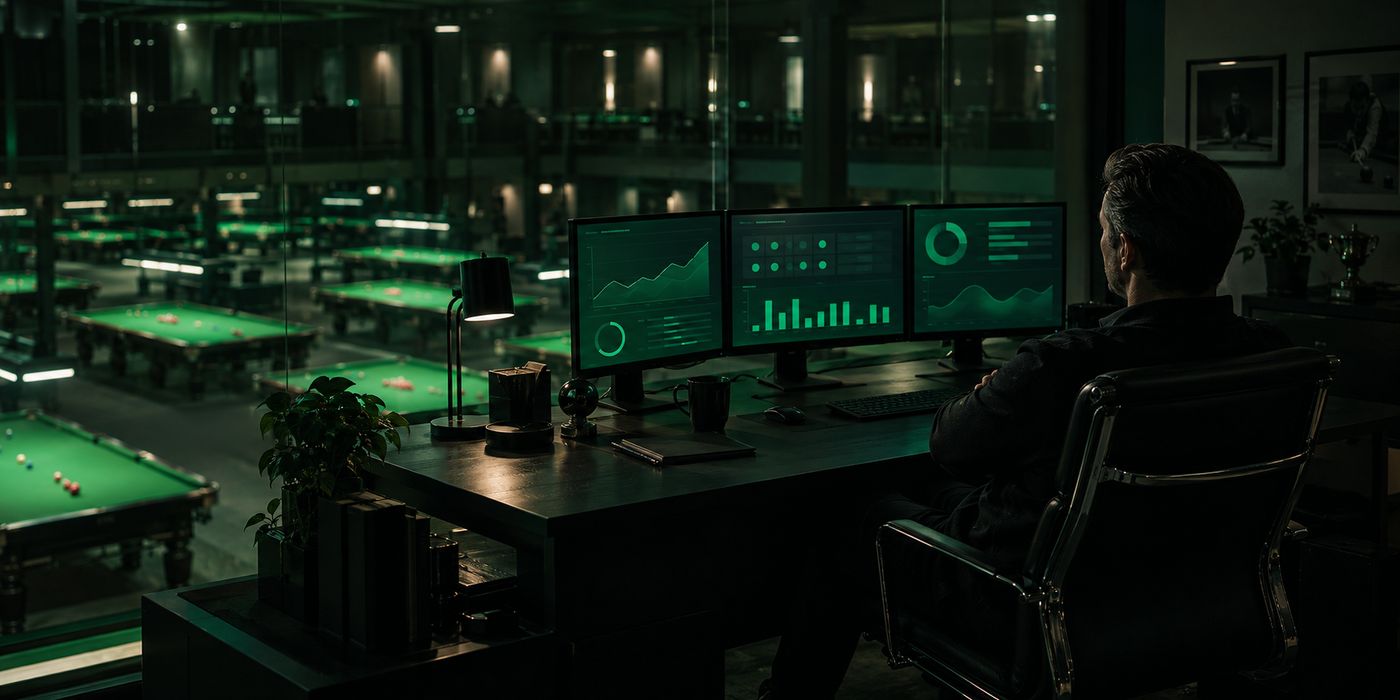
Yes - the All-Centers roll-up is built for the owner-operator running multiple branches. Compare today vs yesterday across every branch, slice by branch, payment method, employee, and table type. Drill into any branch from one screen and rank the winners against the branches that need intervention. Month-over-month branch comparison ships with revenue trend charts and payment-method breakdowns out of the box. Per-branch P&L visibility plus shift-handover summaries print on 80mm thermal at the end of every shift, so you walk into Monday already knowing what every branch closed at over the weekend.
How does the multi-center subscription preset work?
Bronze/Silver/Gold per branch - apply once and the platform tracks each branch separately with overlap protection so you never get double-billed when you upgrade mid-cycle.
Can I see MRR across all my branches?
Yes - MRR trend chart with 12 months of history plus a monthly totals report you can export as PDF.
Can I pay staff commission on what they sell and actually track it?
Yes. Enrol staff as sales agents, rank them into levels, and set per-product commission as a fixed amount or a percentage - even set who is eligible to sell what. Commission earns itself automatically the moment a bill is paid, at POS checkout and at table or split-bill settle, calculated on the net amount after member and coupon discounts. Every entry lands in a tamper-proof record you can filter by agent, center, date and status, so you always know exactly who earned what.
What stops me from double-paying commission or paying on refunded sales?
Two safeguards. Payouts settle in an atomic, row-locked batch per agent for a date range, which makes double-paying the same commission impossible - and if you settle a batch by mistake, one payout reversal cleanly undoes it. When you refund or void an invoice, the system voids only the commission that is still unpaid; commission you have already paid out stays protected. Your books stay honest without you policing them by hand.
Do sales agents get their own login to see their commission?
Yes. Each agent signs in to a mobile web self-service portal and sees this month's commission, sales base and units, unpaid balance, lifetime paid, and their sale-versus-override split, plus full sales history filterable by month and status, payout history, and a drill-down into any sale's receipt. Team leaders also get a team view showing each member's sales. It is read-only, so agents can trust the numbers and check them any time without being able to change them - which cuts payday arguments to zero.
Is there a separate mobile portal for my managers and staff, apart from the member app?
Yes. A separate staff-only mobile ops portal puts Dashboard, Operations, POS & Counter Sale, Bookings & Deposits, Rentals, Members & Stamp Cards, Revenues & Invoice Lookup, Staff, and Activity Log on any owner, manager or employee's own phone browser - role-gated to what each person is allowed to touch, with no app-store install and no shared logins. It is a completely separate surface from the member-facing mobile app.
No answer matches that search. Ask us directly on WhatsApp and we will answer it here.